Transact - Transfer Transaction Templates from TransactionDesk

Last updated: May 04, 2026
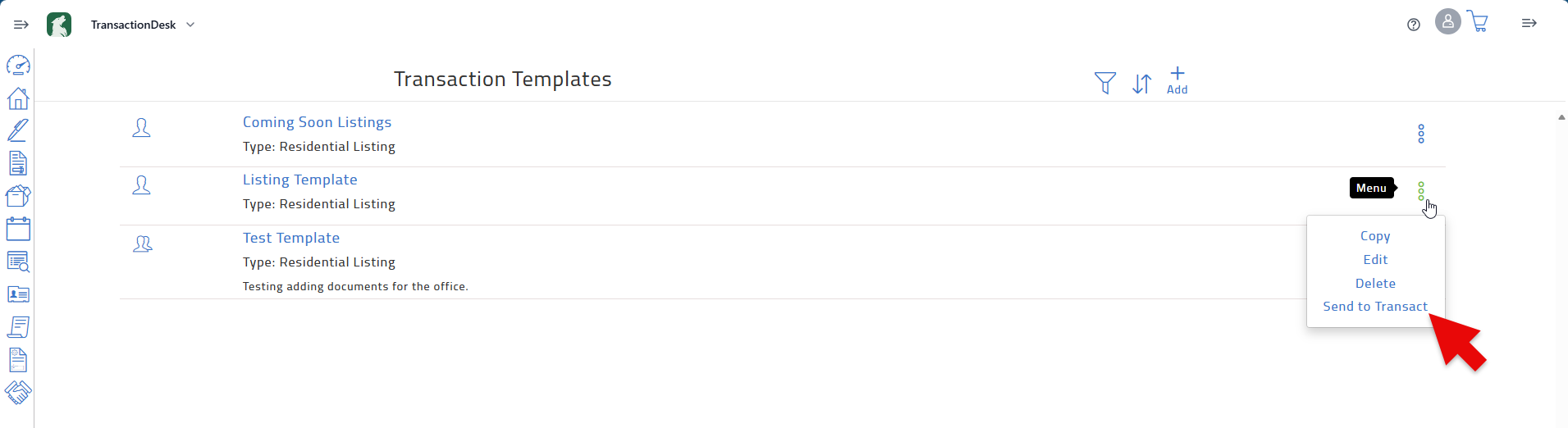
You can send a copy of a Transaction Template from TransactionDesk to the new Transact. From the templates page of TransactionDesk, open the menu for a selected transaction then click Send To Transact.
Note that you can only send a template that you have created, and you are only able to transfer a transaction template once. Office level transactions will default to personal templates when they are copied and sent to Transact.