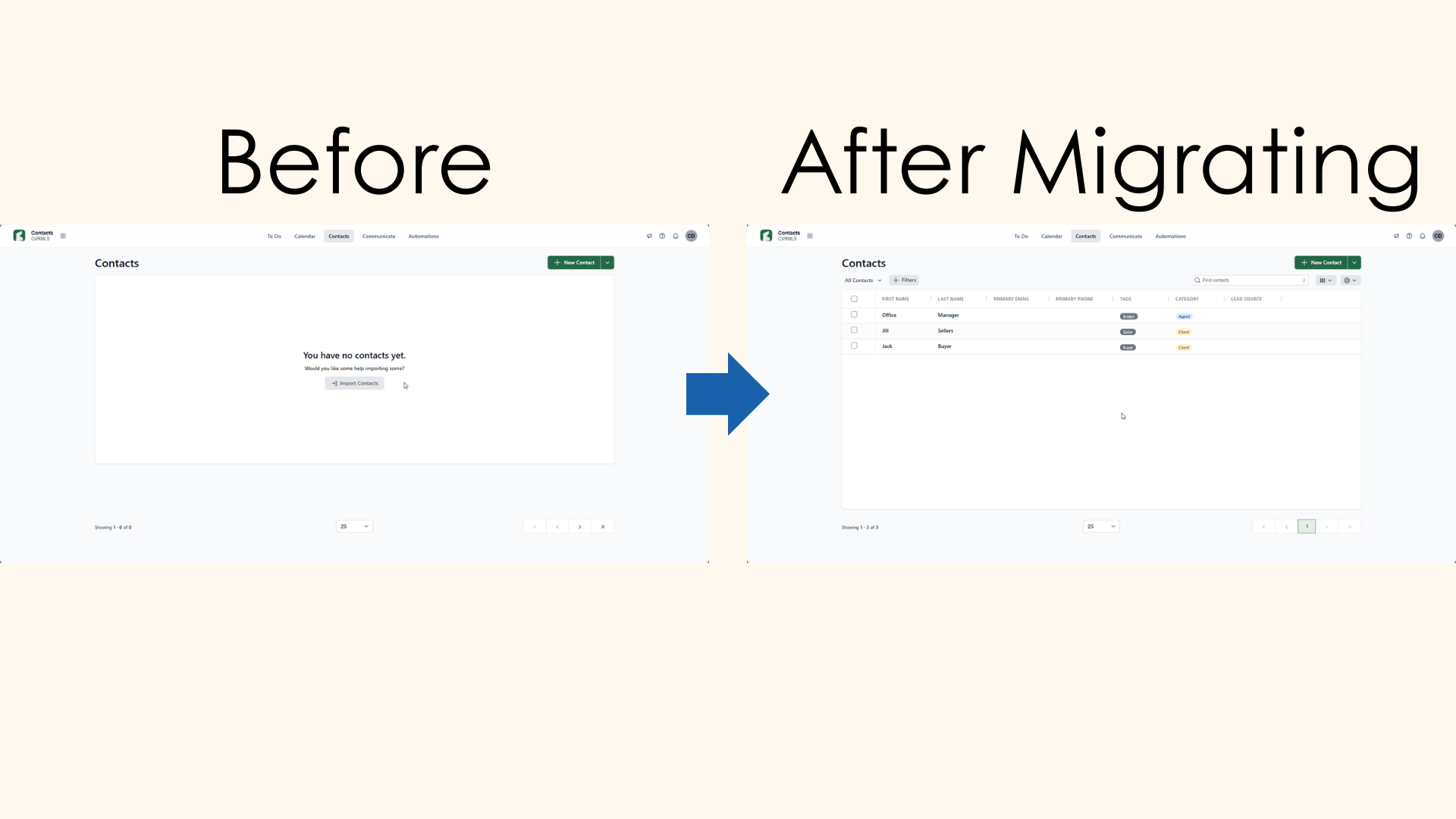
Transfer TransactionDesk Contacts to Transact

Last updated: May 04, 2026
To transfer your contact list from TransactionDesk to Transact:
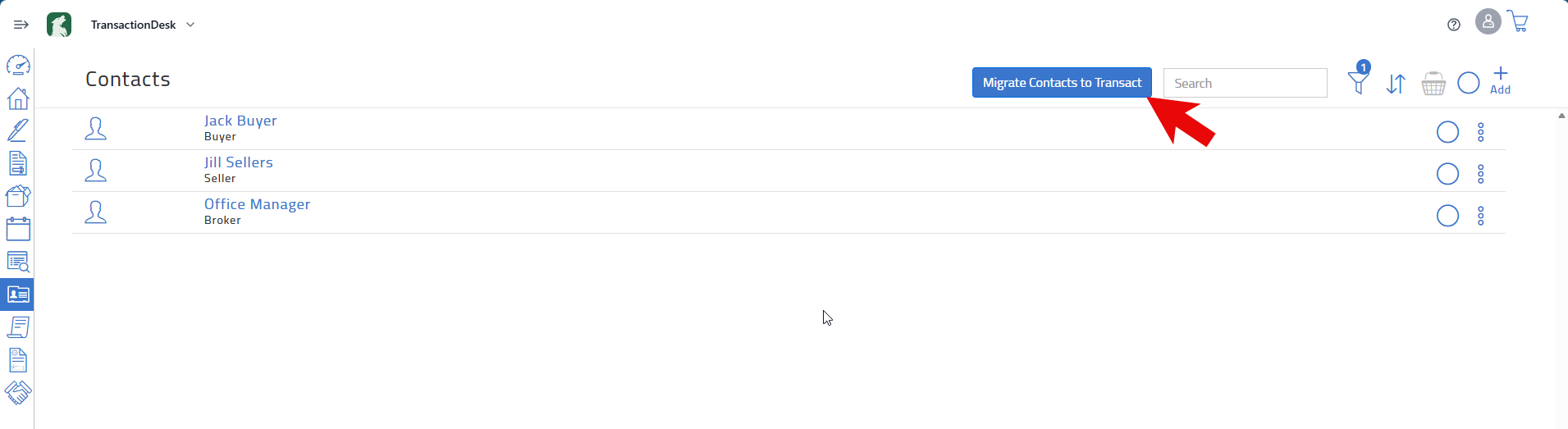
- Go to the Contacts page in TransactionDesk.
- Click Migrate Contacts to Transact (After a few seconds, a prompt will appear confirming that your contact are queued for migration).
You can send contacts to Transact individually by adding contacts to a basket, then clicking Migrate Contacts to Transact in the menu for your selected contacts.
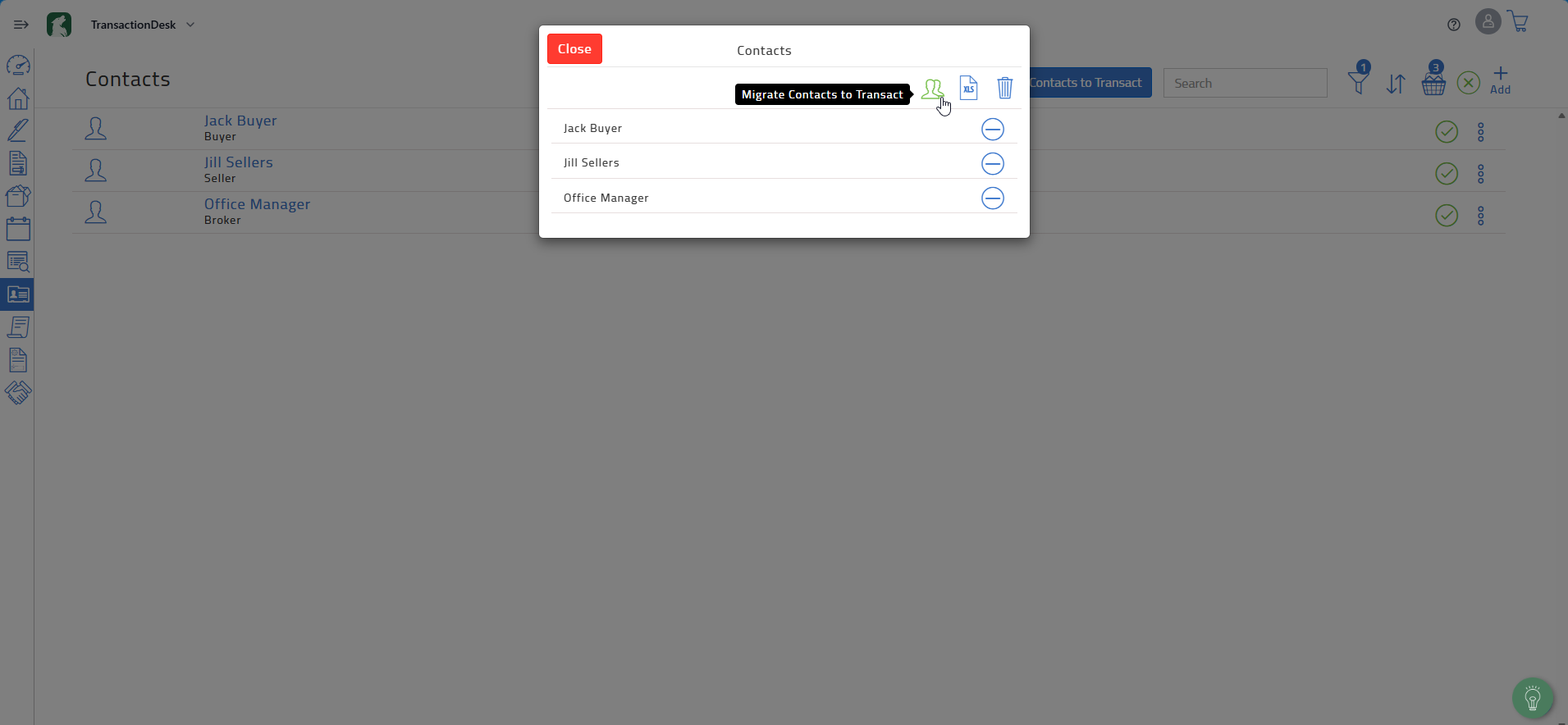
Once you have completed these steps, the contacts you have selected will be available in Transact.