


Updates are coming to TransactionDesk, which will transition to Transact in the future. There is no definitive cutover date for this change, but we encourage you to try out the new interface, which can be accessed in your CVR MLS TransactionDesk account.
What is Lone Wolf Transact?
• Start with your clients: Transactions with your client and not the listing.
• Faster workflows: Connect your clients, properties, paperwork, and compliance in one simple workflow.
• Replicate client details across deals: Easily copy your client’s details into other deals or spin up multiple offers simultaneously.
How do I get started?
As a TransactionDesk user, you have free access to try Transact from right within your account. Simply login and use the appswitcher at the top left to try the new experience. For more information, check out these resources:
- Learn how to create a listing transaction
- Learn how to navigate Transact
- Learn how to create and apply agent templates in Transact
- Getting Started with Transact for Agents
How do I access Transact?
You can access transact by first clicking on the banner at the top of your TransactionDesk homepage.
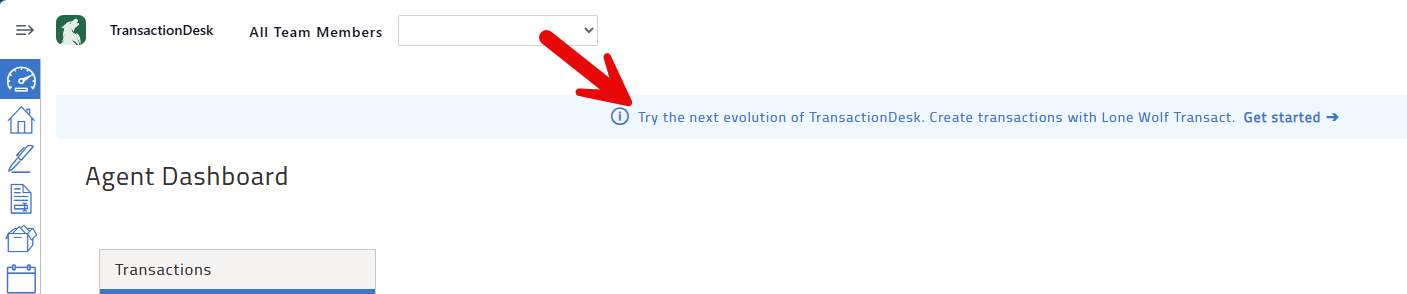
Follow the prompts. Once complete, you'll be able to toggle between TransactionDesk and Transact. Please note that those with LoneWolf Back Office tools are unable to access Transact at this time.
Will TransactionDesk remain available now that Transact has been released?
While TransactionDesk will be replaced by Transact in the future, a date for TransactionDesk to be sunsetted has not been confirmed. Transaction files can be viewed from both platforms at this time.
Will my contacts be available in Transact?
Contacts can be migrated from Transaction Desk to Transact from the Contacts page of TransactionDesk. You can migrate the full list or migrate individual contacts.
Can I use my old transaction templates in the new Transact?
You can send a copy of your Transaction Template from TransactionDesk to Transact. From the templates page of TransactionDesk, open the menu for a selected transaction then click Send To Transact.
Note that you can only send templates that you have created, and you are only able to transfer a transaction template once. Office level transactions will default to personal templates when they are copied and sent to Transact.
Will creating a new transaction in Transact add that transaction to both platforms?
Transactions started in TransactionDesk will automatically be saved to your list of transactions in Transact and can be accessed to view and edit using the TransactionDesk slider.
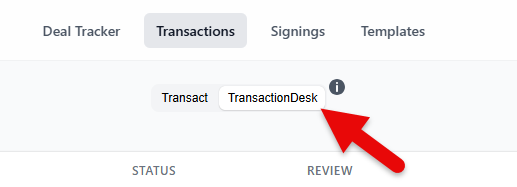
New transactions created in Transact are not sent to TransactionDesk.

